By Ridha / SAMSUNG FRP / 0 Comments

Samsung A23 5G (A236B) “bit C” FRP Remove Successful By chimera Tool

Device Info
– Connecting… : connected [COM46] modem
– Read Info : OK
– Manufacturer: SAMSUNG
– Model: SM-A236B
– IMEI : 3541550520
– Serial Number: R5CK2YKB
– Android Version: 14
– Unique Number: CE0622663B074C042A7E
– Baseband: A236BXXSCEYJ1 [bit:12]
– Bootloader: A236BXXSCEYJ1 [rev:12]
– Security Patch: 2025-10-01

samsung a236b frp reset


By Ridha / SAMSUNG FRP / 0 Comments

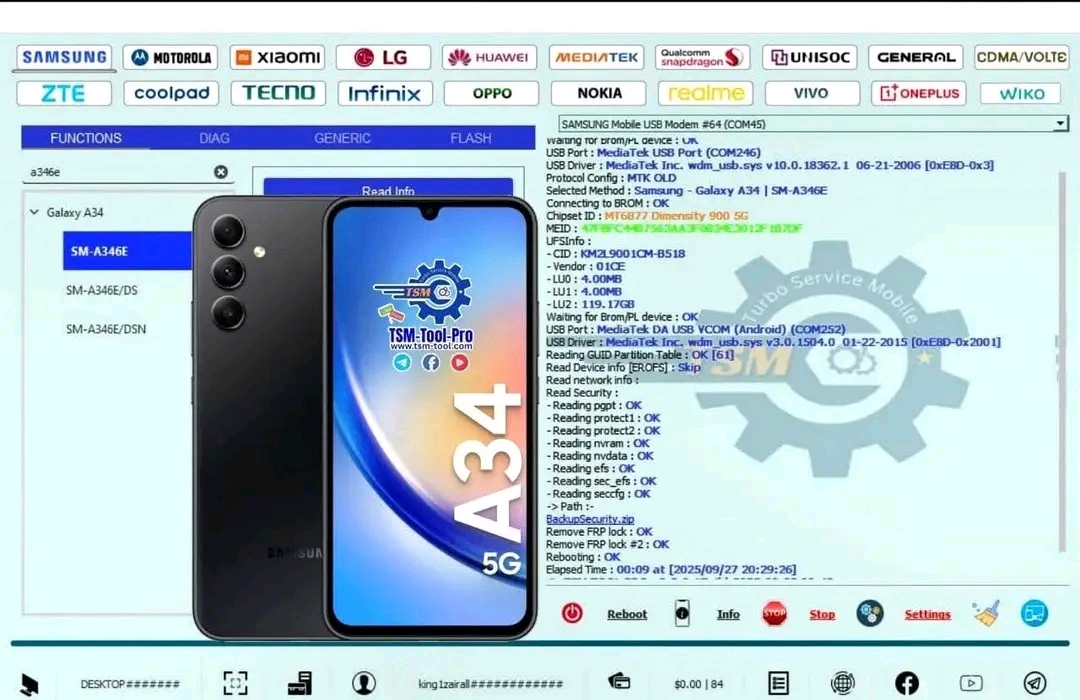
Samsung A14 / A145R FRP Reset Android 15 bit C Done By TSM PRO EDITION

TSM PRO EDITION

Waiting Device Port : OK
USB Device : MediaTek Inc. oem252.inf v3.0.1512.0 1-4-2023 [0xE8D-0x2001]
Reading GUID Partition Table : OK [56]
Reading Device Info : OK [EROFS]
– Market Name : Galaxy A14
– Model : SM-A145R
– DEVICE : a14mnsxx
– Manufacturer : samsung
– Android Version : 15 [SDK:35] [ONEUI:7.0.0]
– Security Patch Level : 2025-11-01
– Product : a14mnseea
– BuildID : AP3A.240905.015.A2
– DisplayID : AP3A.240905.015.A2.A145RXXSCDZA1
– BuiltDate : Tue Jan 13 16:39:12 KST 2026
– BuildID : A145RXXSCDZA1
– Bootloader : A145RXXSCDZA1
– KG_STATUS : 0x4
– Salescode : EUX
– Fingerprint : samsung/a14mnsxx/a14m:15/AP3A.240905.015.A2/A145RXXSCDZA1:user/release-keys
Removing frp lock :
Wiping frp : OK
Wiping persistent : OK
Wiping metadata : OK
Wiping md_udc : OK
Wiping cache : OK
Wiping userdata : OK
Rebooting device : Done
#- : TSM PRO EDITION 2026.03.17-0319
Elapsed Time : 00:46 at [2026/04/05 15:24:23]

By Ridha / realme frp / 0 Comments

Realme c65 Rmx3910 FRP reset android 15

Realme c65 Rmx3910 FRP reset android 15 100%

NO need test points
NO need Flash file

realme c65
realme c65

Searching for usb device… Found
MediaTek PreLoader USB VCOM_V1632 (Android) (COM49)

Connecting to device… Ok
ChipId : MT6768 [Helio P65/G85 K68V1], SW Ver : 0000, HW Ver : CA00
Getting important files from server… Ok
Sending Download Agent… Ok
Authorizing device for operations… Ok
Connecting to device with auth access… Ok

Factory Reset… Ok
Factory Reset Protection… Ok

Rebooting device… Ok

All Done
Read more “Realme c65 Rmx3910 FRP reset android 15”

By Ridha / realme frp / / 0 Comments

REALME C55 (RMX3710) FRP RESET ANDROID 15 [TEST POINT]

[PRELOADER] ERASE FRP Selected auth : OPPO/REALME/ONEPLUS [1]
Phone must have battery inside!
Waiting for device… COM17 [BOOTROM:0E8D:0003]
Initializing usb… OK
Waiting for device… COM17 [BOOTROM:0E8D:0003]
Bypassing authentication… OK
Analyzing… preloader_k69v1_64.bin [MT6769:11:1872] [Internal]
Handshaking… OK
Reading hardware info… OK
Hardware : MT6768 [Helio G70|G80|G85|P65] 0707 8A00 CA00 0000
Security Config : SCB SLA DAA
MEID : DE45C58BD26DB7CE3E151B00D39DD432
Sending Download-Agent [1]… OK
Syncing with device… OK
Booting device… OK
Syncing with DA… OK
Storage : EMMC – CID : 44000115.34425455.72D80232.6B4AA75F
Vendor : Samsung – Name : DUTB42 – Serial : 2808050392 – Rev : 2
Boot1 : 4 MiB – Boot2 : 4 MiB – RPMB : 16 MiB – User Area : 116,48 GiB
Reading partition info… OK [60]
Connecting to device… OK
Erasing FRP… OK
UNLOCKTOOL 2025.11.22.0

rmx3710 test point
rmx3710 test point

rmx3710 frp unlocktool

By Ridha / Huwei FRP / / 0 Comments

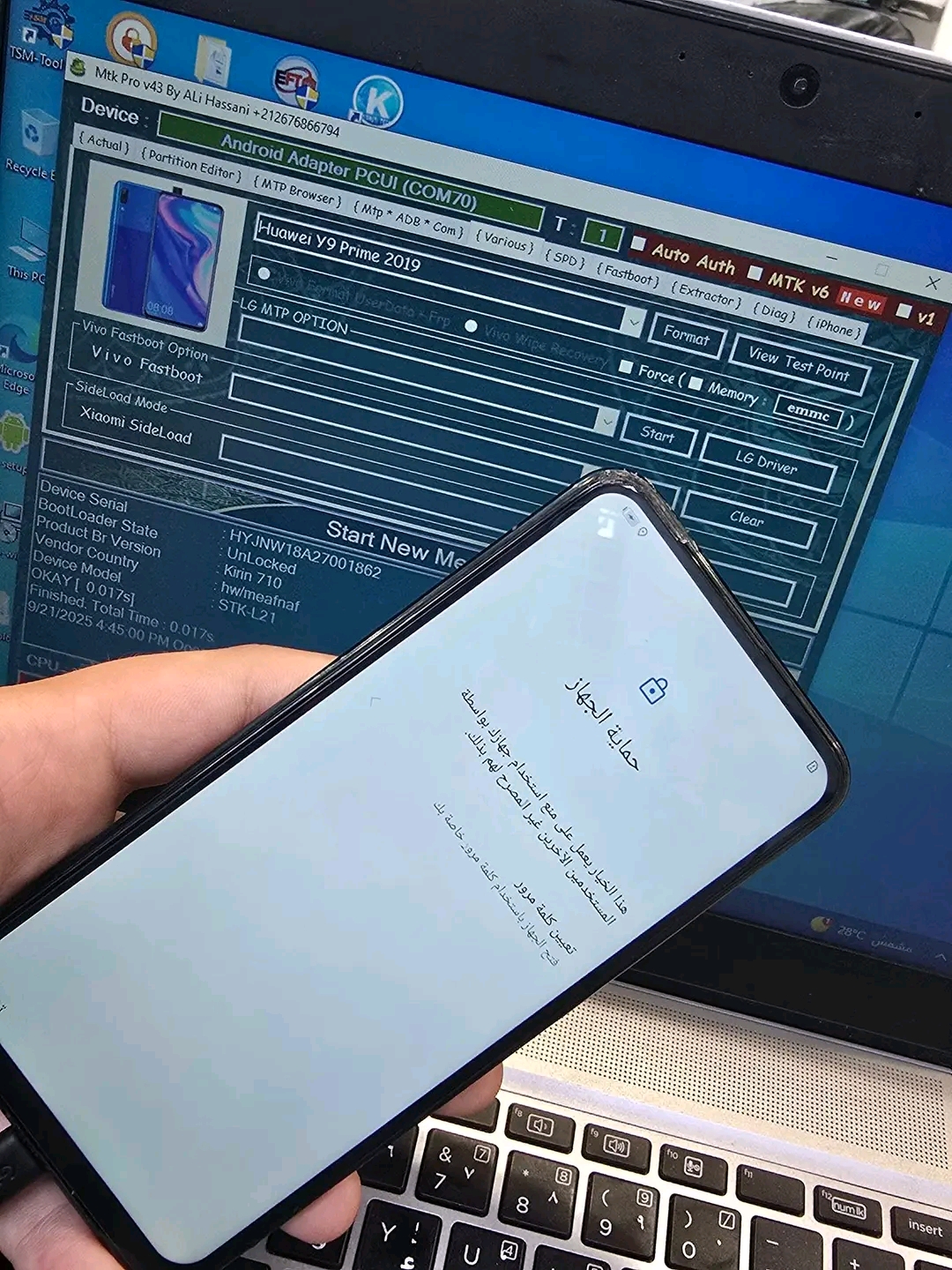
Y9 prime 2019 Reset Frp Odin Muslim.

Y9 prime 2019 Reset Frp Odin Muslim.

1- بيفتح mtk pro
2- تختار (Various]
3- تختار موديل الهاتف
4_توصل الهاتف تيست بوينت
5_ تضغط ع فورمات
بعدين بيظهر رساله تفصل الكابل والبطارية وترجعهم تاني وتوصل تيست بوينت من جديد و مبروووك عليك ازاله frp


1. Open MTK Pro.
2. Select [Various].
3. Choose the phone model.
4. Connect the phone using Test Point.
5. Click on Format.
→ A message will appear asking you to disconnect the cable and battery, then reconnect them.
→ Reconnect the Test Point again.
Congratulations, FRP lock has been removed successfully!